
Think beyond the "Smart Home"
HomeGenie is not just a smart home hub; it is a General-Purpose Automation Engine.
At its core, HomeGenie is a powerful signal router. It takes raw data from sensors, switches, and web services, and gives you the canvas to shape that data into anything you can imagine. By combining Automation Programs and UI Widgets, you can transform HomeGenie into:
- A professional Smart Home Server.
- A precision Industrial Controller.
- A custom Smart Thermostat.
- Or even the brain of a Robot 🤖.
You don't just "use" HomeGenie; you create with it.
How it works: Programmable Features
Everything in HomeGenie is a program. To add a feature, you simply write it.
Let's say you want to add a "Blink" option to all your lights. You create a program that adds a checkbox to the device settings:
Setup Code
// Configuration APIs like AddOption are placed inside the Program.Setup callback
Program.Setup(() => {
  Program.AddOption("Feature.Blink.Enable", "false", "Blink every 0.5s", "checkbox");
});
// Run the Main code
Program.Run();
Then, you implement the logic in the Main block to toggle all devices that have that checkbox active:
Main Code
while (Program.IsRunning) {
  Modules.WithFeature("Feature.Blink.Enable").Toggle();
  Pause(0.5);
}
Universal API: A Common Language
HomeGenie treats every device, service, or script as a Module. Whether it's a ZigBee bulb, a Python script, or a virtual weather service, they all speak the same language.
Status.Level or Sensor.Temperature, regardless of the underlying protocol.Integrating a custom component, like a DHT-22 sensor, is just a matter of "emitting" data to a module:
// Add a virtual sensor module
Program.AddModule("Components.DHT22", "1", "Sensor");
var sensor = Modules.InDomain("Components.DHT22").WithAddress("1").Get();

// Emit the values to the system
sensor.Emit("Sensor.Humidity", 65);
sensor.Emit("Sensor.Temperature", 22.5);
Once emitted, this data is automatically available for logging, real-time charts, and UI widgets.
UI Customization
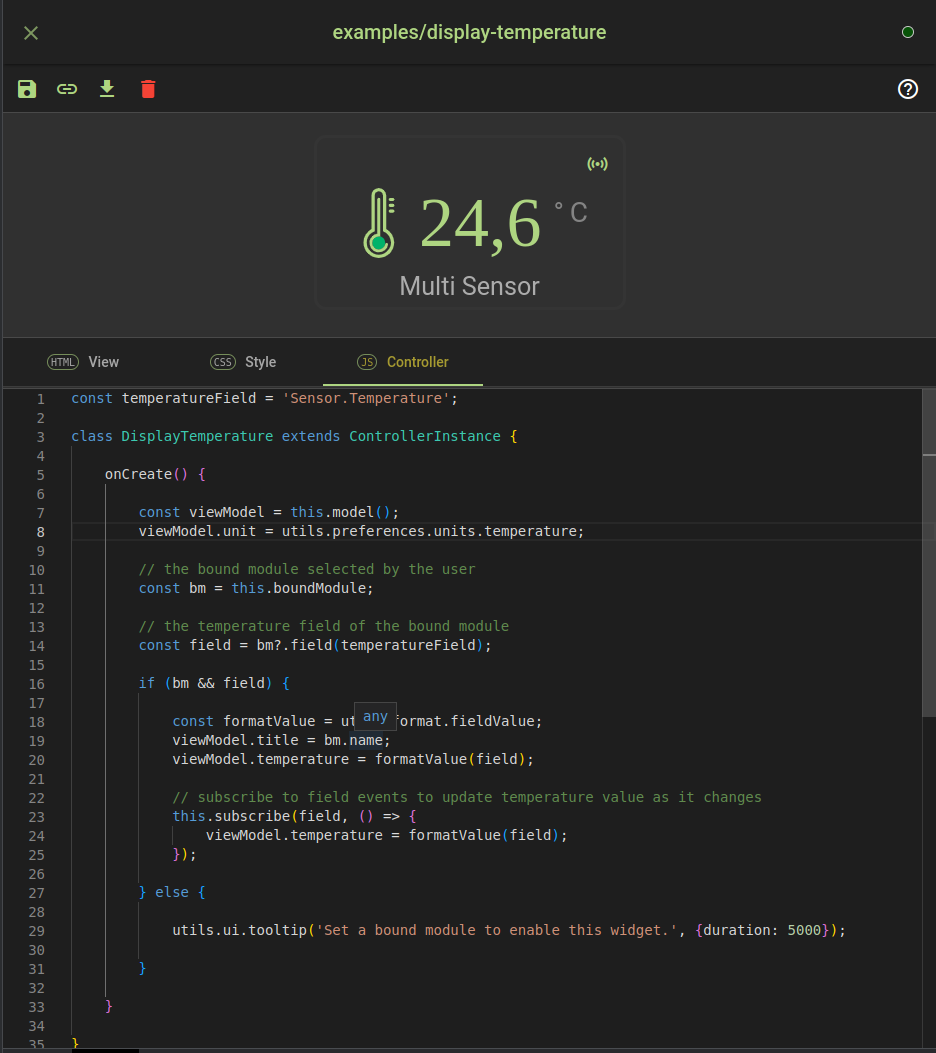
While HomeGenie comes with a set of professional built-in widgets, the Widget Editor allows you to build completely custom interfaces using HTML, CSS, and JavaScript (zuix.js).
From a simple toggle button to a complex 3D floor plan, the UI is yours to design.
Next Steps
Ready to start building?
- Explore Learn with AI to discover how to create widgets and automations using just natural language.
- Dive into Custom Widgets to design your UI components from scratch.
- Deep dive into Automation Programs to write your logic using C#, Python, or JavaScript.